Custom Packaging Boxes Wholesale | Printed Boxes With Logo | High Quality Packaging

Custom Packaging Boxes Wholesale

Box Templates: Types, Uses, and How to Choose One

Table of Contents

Get A Free Quote

A box may look simple after it is assembled, but every panel, flap and fold has a specific purpose. Before production begins, the full structure is planned as a flat layout. This layout is called a box template.

Box templates help packaging designers turn a flat sheet of cardboard, paperboard or corrugated board into a functional package. They show where the material will be cut, folded and joined. They also guide the placement of logos, text and other printed elements.

Choosing the right template affects product protection, packing time, shipping costs and the customer experience. A template made for a lightweight cosmetic item may not support a heavy glass bottle. A box designed for a retail shelf may also be unsuitable for direct shipping.

This guide explains the main types of packaging box templates, their uses and the steps involved in choosing the right one for your product.

What Is a Box Template?

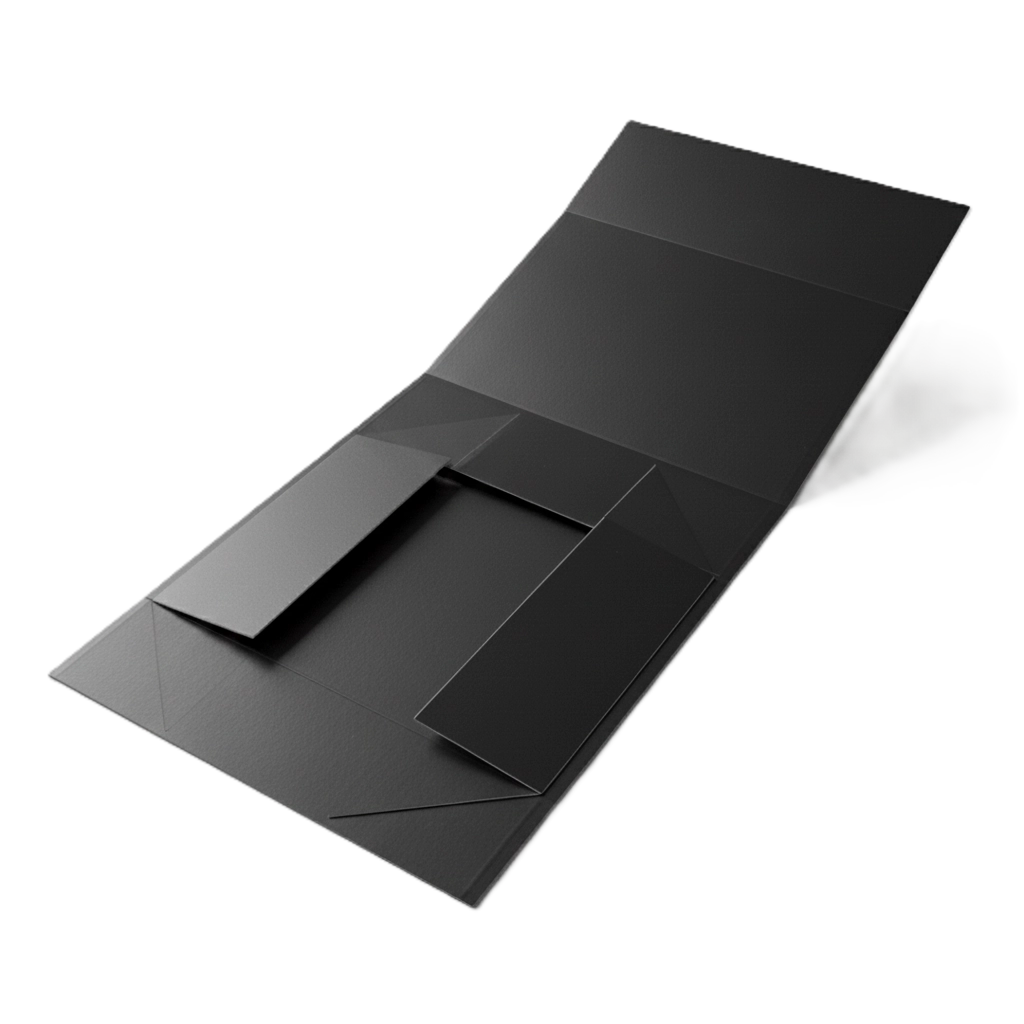
A box template is a two dimensional plan for a three dimensional package. It includes the main panels, closing flaps, fold lines, cut lines and glue areas needed to construct the box.

During production, the design is printed on a flat sheet. A die then cuts the required outer shape and creates creases where the material needs to fold. The flat structure is folded and glued or locked together to form the finished packaging.

Some box design templates are made for common structures and standard sizes. Others are adjusted for a particular product. Custom packaging templates may include special windows, handles, locking systems, inserts or display panels.

A structural template is different from the finished packaging artwork. The template controls the physical construction. The artwork includes the colors, images, logo, product details and other printed content placed over that structure.

Box Template vs Packaging Dieline

The terms box template and dieline are often used in the same way. However, there can be a practical difference.

A template can be a general or reusable structural layout. For example, a designer may begin with a standard tuck box template and adjust it to fit a new product.

A packaging dieline is normally the precise production file for one box. It reflects the approved dimensions, material thickness, folds, cuts, tabs and manufacturing tolerances. Packaging box dielines also guide the position and orientation of printed artwork.

A downloaded template may help with planning, but it is not always ready for commercial production. The manufacturer must confirm that the structure works with the selected board, printing process, finishing options and production equipment.

Why the Right Box Template Matters

The appearance of a box is important, but structure comes first. A suitable template helps the packaging perform its job from the packing line to the customer’s hands.

It Protects the Product

Correct internal dimensions help limit unnecessary movement. The right material and closure keep the package stable during storage, handling and transport. Fragile products may also need inserts, dividers or extra cushioning.

A poor fit can create several problems. An oversized box allows the product to move. A box that is too tight can place pressure on the product or fail to close correctly.

It Controls Material and Shipping Costs

An efficient structure uses enough material to protect the item without creating avoidable waste. It can also reduce empty space inside the package.

For shipped orders, size matters because carriers may calculate charges using dimensional weight. A smaller and better fitted box may therefore lower shipping costs even when the material and printing stay the same.

It Improves Assembly and Packing

The template controls how workers or machines form and close the package. A complicated folding sequence can slow manual packing. Weak locking tabs may open under load. Glue areas that are too small can also cause structural failure.

The best design supports the expected order volume and packing method. An auto lock bottom may save time on a busy packing line, while a simple manual closure may be enough for a short run.

It Supports Accurate Printing

Box layout templates show the exact position of every visible and hidden panel. This helps designers place logos, barcodes, instructions and product information in suitable areas.

Accurate artwork placement prevents text from crossing folds or being hidden under flaps. It also helps keep the front panel clean and makes the brand presentation look consistent.

It Improves the Customer Experience

The structure determines how a customer holds, opens and closes a box. It also affects how easily the product can be removed.

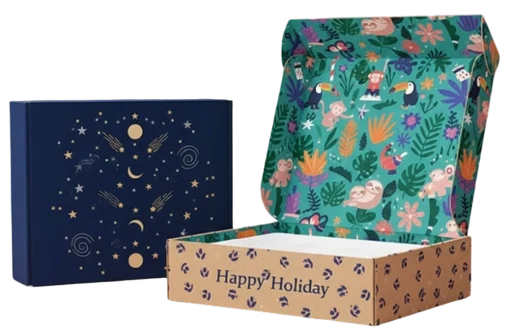
A secure mailer can make an online order feel protected. A sliding sleeve can create a controlled reveal. A magnetic rigid box may be kept and reused after the original product has been removed.

Common Types of Box Templates and Their Uses

The best structure depends on the product, material and way the package will be handled. The following types cover many retail, gift and shipping applications.

This process explains how Pantone colors are matched. PMS supplies the common target. Color management and production controls determine how closely the job reaches that target.

1. Folding Carton Templates

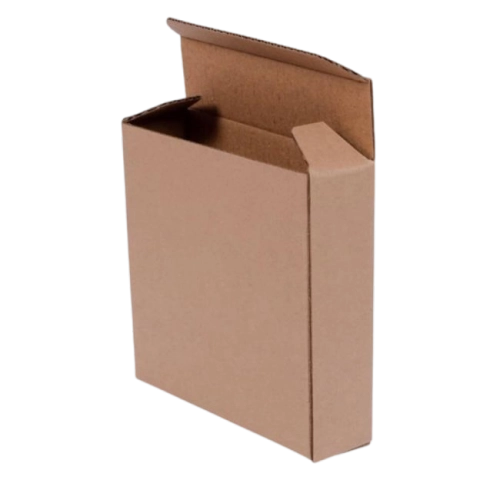
Folding cartons are made from paperboard and usually supplied flat. They are lightweight, easy to print and efficient to store. Common materials include SBS paperboard for a smooth white surface and kraft paper for a natural appearance.

These folding box templates are widely used for cosmetics, dry food, pharmaceuticals, small electronics and other retail products.

Straight Tuck End

On a straight tuck end box, the top and bottom closure flaps fold toward the same side. This leaves the main front and back panels uninterrupted, which is useful when both panels need a clean appearance.

Reverse Tuck End

The top and bottom flaps of a reverse tuck carton fold in opposite directions. This style often fits efficiently on a printed sheet and works well for many lightweight products.

Auto Lock Bottom

An auto lock bottom is preglued during manufacturing. When the box is opened, the base moves into position and locks. It supports faster packing and provides more bottom strength than a basic tuck closure.

Snap Lock Bottom

A snap lock bottom uses flaps that interlock manually. It can support more weight than a simple tuck bottom, although it takes longer to assemble than an automatic base.

Mailer Box Templates

Mailer boxes normally have a hinged lid, side wings and a front locking panel. Corrugated board is common because it provides cushioning and resistance to handling.

Mailer box templates suit ecommerce orders, subscription products, promotional kits and welcome packs. Printing can be added inside and outside to create a branded unboxing experience.

An insert may be added when the product needs to remain in a fixed position. However, the insert reduces usable internal space, so it must be included when calculating the box dimensions.

Shipping Box Templates

Shipping boxes are designed for transport, stacking and warehouse handling. The regular slotted container is one of the most common formats. Its outer flaps meet in the center when closed and can be secured with tape or glue.

The correct shipping box template depends on product weight, stacking load and distribution conditions. Flute type and board grade are more important than appearance alone.

Heavy or fragile products may require stronger corrugated board, internal dividers or added cushioning. A sample should be tested under conditions that reflect the real shipping process.

Rigid Box Templates

Rigid boxes use thick chipboard wrapped with printed or decorative paper. They do not usually fold from a single simple carton dieline. Separate components may be cut, formed and wrapped before final assembly.

Rigid box templates are used for jewelry, electronics, luxury cosmetics, gifts and premium product collections. They provide a substantial feel and strong presentation, but they cost more and require more storage space than flat folding cartons.

Magnetic Closure Box Templates

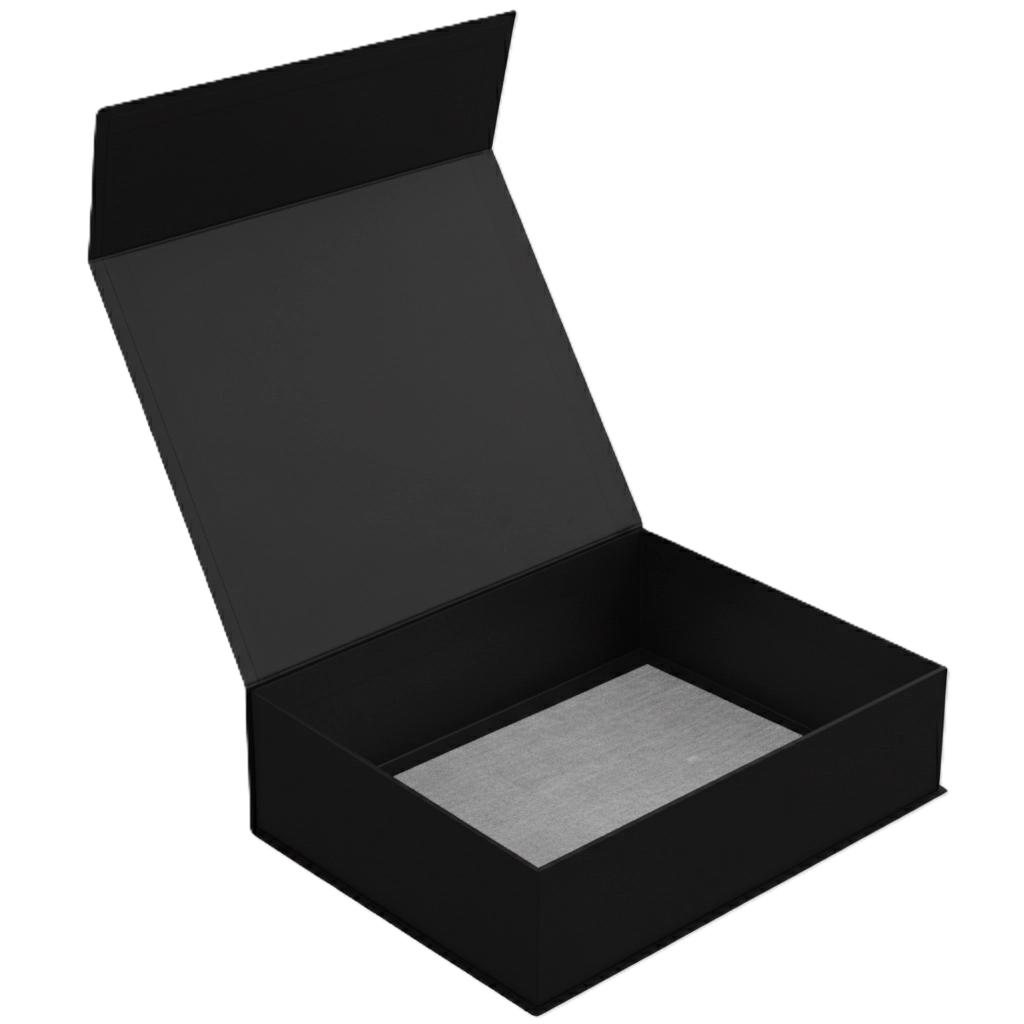
A magnetic closure box is a type of rigid package with a hinged lid and concealed magnets. The closing action adds a premium and reusable quality.

These magnetic box templates suit gift sets, influencer kits, luxury products and corporate presentations. Magnet position, polarity and board recesses must be planned accurately. The wrapped construction also needs enough clearance to close smoothly.

Two Piece Box Templates

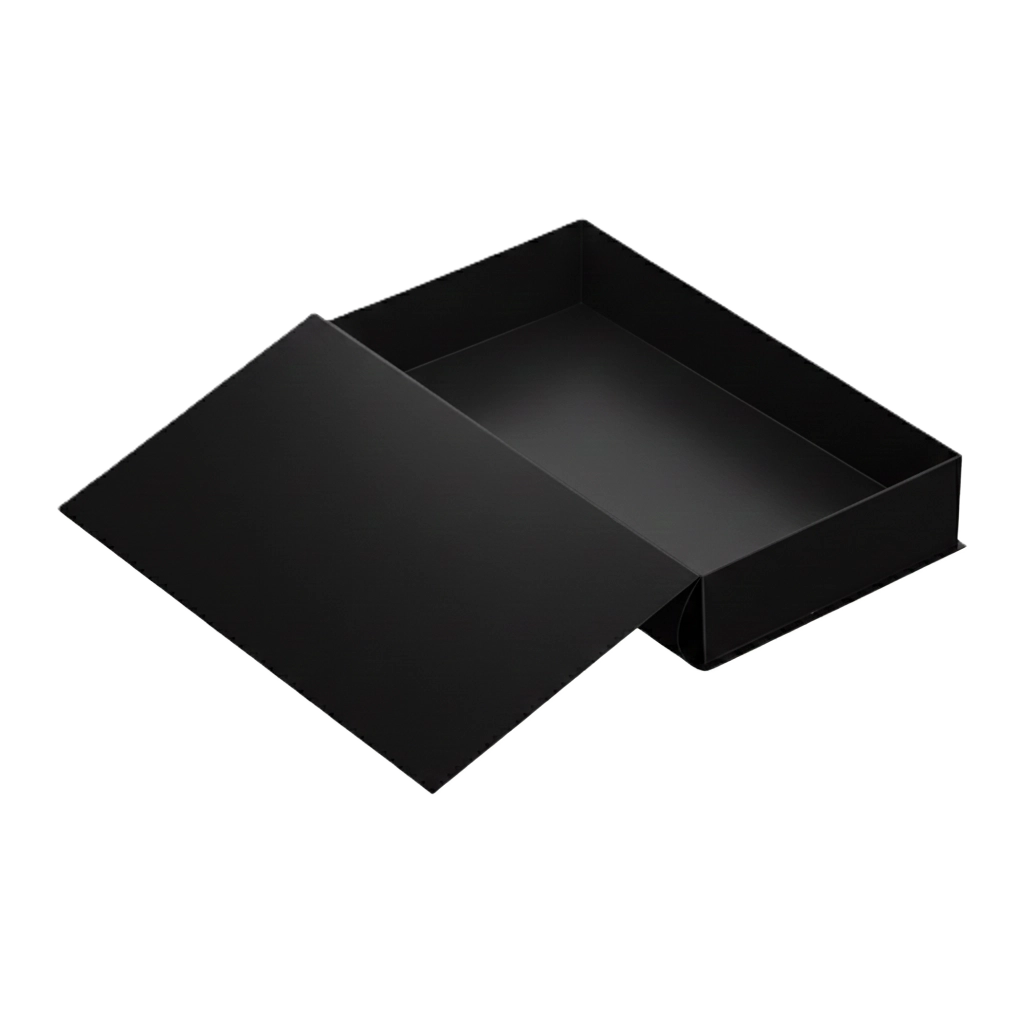
A two piece box has a separate lid and base. It may be produced from folding paperboard or thick rigid board. The lid can cover the full depth of the base or only part of it.

Two piece gift box templates are suitable for apparel, confectionery, stationery and premium accessories. The clearance between the lid and base needs careful testing. A fit that is too loose feels poor, while a tight lid may trap air or be difficult to remove.

Sleeve Box Templates

A sleeve is an open ended outer cover that slides over a tray, carton or product. It can add printed branding without replacing the primary package.

Sleeve box templates work well for soap, cosmetics, food trays, electronics and gift items. The sliding fit must allow for material thickness, lamination and other finishes. A fit that works on an unfinished sample may become too tight after wrapping or coating.

Pillow Box Templates

Pillow boxes have curved side folds that create a rounded shape. They are compact and use relatively little material.

Printable box templates for pillow packaging suit jewelry, small cosmetics, party favors and lightweight gifts. They are less suitable for heavy, fragile or stack sensitive items because their curved shape does not provide a stable flat surface.

Gable Box Templates

Gable boxes combine a box body with a built in carrying handle. They are commonly used for bakery items, takeout food, party favors, promotional packs and small gifts.

Gable box templates can be made from paperboard, kraft stock or lightweight corrugated board. The material must support the product weight at the handle. Food products may also require suitable barriers, inks and direct contact specifications.

Custom Shaped Box Templates

Some products need a structure that a standard rectangular box cannot provide. Custom box templates may include hexagonal forms, display panels, windows, fitted compartments or unusual opening systems.

A standard design can sometimes be adjusted for a different size. A heavy, fragile or irregular product often needs structural engineering and prototype testing. Unique box packaging designs should remain practical to cut, assemble, fill and ship.

Quick Comparison of Popular Box Templates

Template TypeTypical MaterialBest UsesKey StrengthMain Consideration
Folding cartonSBS or kraft paperboardCosmetics, food and small retail itemsLightweight and print friendlyLimited support for very heavy products
Mailer boxCorrugated boardEcommerce and subscription productsProtection with strong presentationMay use more material than a carton
Shipping boxCorrugated boardTransit and bulk packingStacking and shipping strengthBoard grade must match the load
Rigid boxWrapped chipboardLuxury and premium productsStrong high end presentationHigher cost and storage demand
Two piece boxPaperboard or rigid boardGifts, apparel and confectioneryEasy access and classic appearanceLid clearance requires testing
Sleeve boxPaperboard or rigid boardCosmetics, food and giftsControlled product revealSliding fit needs precise tolerances
Pillow boxPaperboard or kraftSmall lightweight productsCompact and material efficientPoor choice for fragile or stacked items
Gable boxPaperboard or corrugated boardFood, favors and gift packsConvenient built in handleHandle strength must suit the load

Standard Templates vs Custom Box Templates

A standard template can be useful when the product has a common shape and the packaging requirements are simple. It may support early prototypes, short runs, crafts or basic gift packaging. Starting with an established structure can also shorten the initial design process.

A custom template is better when the product needs an exact fit, added protection or a distinct opening experience. It may also be required for unusual dimensions, retail display rules, protective inserts or automated packing equipment.

Custom box design templates can reduce empty space and place visual elements precisely on the finished structure. However, they still need to be practical for production.

Generic packaging template files should always be verified before commercial printing. They may not include allowances for the selected board thickness. They may also use different manufacturing tolerances from your packaging supplier. Printing, lamination, foil, windows and other processes can further affect the final design.

How to Choose the Right Box Template

Choosing the right box template becomes easier when each decision follows the product’s real requirements.

Step 1: Measure the Product Accurately

Measure the product’s length, width and depth at its widest points. Use a consistent order and record whether the values are internal or external dimensions.

Most custom box measurements refer to internal space because that determines whether the product will fit. Include any wrapping, accessories, inserts and clearance needed for easy packing.

Do not add excessive space as a safety measure. Too much space may allow movement and increase the final package size. Accurate box template measurements produce a better result than simply choosing the next available standard size.

Step 2: Check Weight, Fragility and Shape

Product weight affects the material and bottom construction. A lightweight serum bottle may fit a folding carton, while a set of glass containers may need corrugated packaging or a rigid box with an insert.

Fragile items need controlled movement and cushioning. Irregular products may create pressure at specific points. Identify these risks before selecting the structure.

Step 3: Define the Packaging Purpose

Decide where the box will be used. Retail packaging needs clear branding, required product information and shelf appeal. Shipping packaging focuses on protection and handling. Gift packaging may place greater value on presentation and reuse.

One structure can sometimes perform several jobs. A corrugated mailer can protect an online order and provide a branded opening experience. However, a decorative folding carton may still need an outer shipping box.
Step 4: Select a Suitable Material

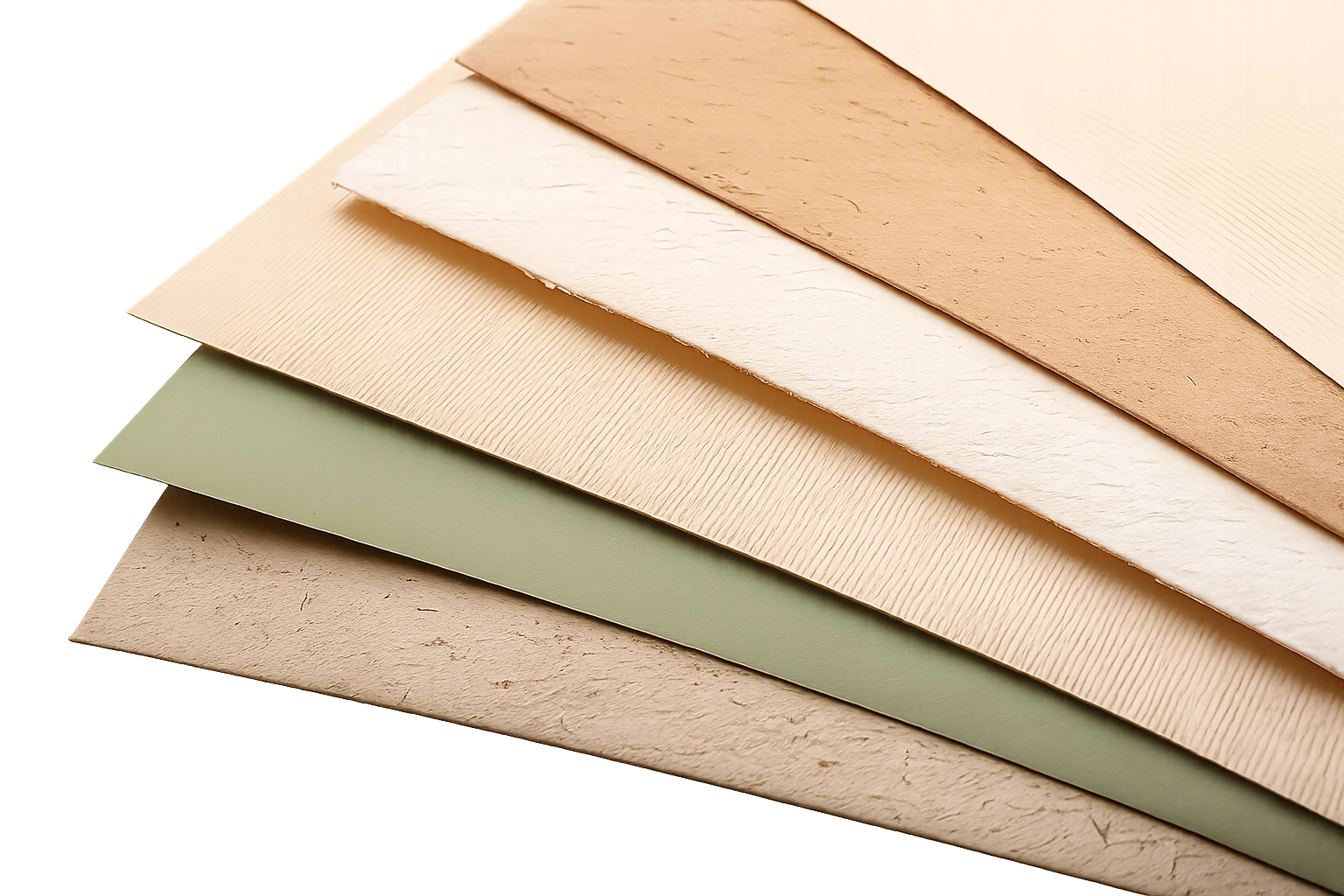
SBS paperboard provides a smooth surface for detailed retail printing. Kraft paper offers a natural look and can support sustainability focused branding. Corrugated board adds cushioning and stacking strength. Chipboard creates the firm base used in rigid boxes.

Material thickness changes the way a box folds and closes. It also affects the internal and external size. A dieline made for thin paperboard should not be moved to thick corrugated board without structural adjustment.

Step 5: Choose the Opening and Closure

The closure should balance security, packing speed and customer convenience. Tuck ends work well for many retail cartons. Auto lock bottoms support faster assembly. Sleeves create a sliding reveal. Magnetic lids add a reusable premium closure.

Also consider whether the customer may need to open and close the package several times. A one time shipping seal and a reusable gift closure serve different needs.

Step 6: Review Assembly and Packing

Determine whether the boxes will be erected and filled by hand or by machine. A design that takes a few extra seconds to assemble can create significant labor costs across a large order.

Flat packed boxes save storage space. Preassembled rigid boxes reduce setup but require more room in the warehouse. Glue, tape and locking methods should suit the available staff and equipment.

Step 7: Plan Printing and Finishes

Plan visual treatments while the structure is being finalized. CMYK works well for full color images. Pantone spot colors can support controlled brand color matching.

Foil, embossing, debossing, Spot UV, lamination and window patching may affect the artwork or structure. Avoid placing critical details over folds. Glue areas should normally remain free from finishes that reduce adhesion.

Step 8: Consider Shipping and Storage

Review the complete packed dimensions and weight. Check whether the structure stacks safely and whether empty boxes will arrive flat or assembled.

A package that looks attractive but uses excessive warehouse space may create operational problems. Large dimensions may also increase shipping costs even when the product is light.

Step 9: Make and Test a Prototype

A plain structural sample lets you test the fit, closing action and assembly process before paying for full printing. Insert the actual product and accessories. Open and close the package several times.

For shipping packaging, test the complete packed unit under realistic handling conditions. A printed proof or mockup can then confirm color, artwork position and panel orientation.

Step 10: Approve the Production Details

Before production, confirm the dimensions, material, board direction, print colors, finishes, quantity and approved dieline version. Keep written approval tied to the exact file being produced.

This final check is a key part of choosing the right box template. It prevents an older layout or unapproved artwork from reaching production.

How to Prepare Artwork on a Box Template

Artwork must follow both the dieline and the printer’s file requirements.

Use the Requested File Format

Packaging suppliers often request editable vector files such as AI, EPS or production ready PDF files. Adobe Illustrator is widely used for dielines and packaging artwork. Adobe InDesign may be useful for layouts with substantial text, but the final file must still meet the printer’s setup instructions.

Separate Artwork From Technical Lines

Keep artwork, cut lines, crease lines and other production information on clearly named layers. Dieline marks should use the colors and settings requested by the printer. They should not appear as part of the final printed design.

Set Up Colors Correctly

Prepare process artwork in CMYK rather than relying on RGB screen colors. Use specified Pantone colors when the project requires spot color matching. A calibrated proof provides a better guide than an ordinary monitor.

Check Images and Text

Use suitable image resolution at final print size. Package fonts or convert them according to the supplier’s requirements. Keep small text and barcodes inside the safe area.

Review required ingredients, warnings, contact details and other product information before approval. Structural accuracy cannot correct missing or inaccurate copy.

Review the Complete Box

A flat design does not show the full opening experience. Use a packaging mockup or physical sample to review every panel. Check which areas are covered by flaps and whether graphics align across folds.

Common Box Template Mistakes to Avoid

  • Measuring only the main product and forgetting inserts, cables or accessories.
  • Confusing internal dimensions with external dimensions.
  • Ignoring paperboard caliper or corrugated flute thickness.
  • Scaling a dieline without recalculating flaps, slots and glue tabs.
  • Placing text too close to a cut line, crease or corner.
  • Failing to extend background artwork into the bleed area.
  • Allowing technical dieline marks to print with the artwork.
  • Placing important information on glue tabs or hidden panels.
  • Selecting a style for appearance without checking product weight.
  • Approving full production without a tested structural sample.

Where Can You Get Box Templates?

Online generators can create simple printable box templates for concepts, crafts and early prototypes. They are useful for exploring shapes, but the output may not account for the exact production material or machinery.

Professional programs such as Illustrator support vector artwork and layout editing. Specialized packaging CAD software is more suitable for structural engineering because it can manage board allowances, standardized designs and manufacturing data.

A packaging designer or structural engineer is valuable when the item is heavy, fragile, unusually shaped or expensive. Expert support is also important for complex inserts, display structures and automated packing lines.

The packaging manufacturer is often the safest source of the final production dieline. Its team can align the structure with available materials, tooling, printing equipment and finishing processes. This reduces the risk of sending attractive artwork on a template that cannot be produced as expected.

Get a Production Ready Custom Box Template From Hot Custom Boxes

Hot Custom Boxes can help turn product requirements into practical custom packaging. Our team can create or adjust a dieline according to your product dimensions, weight, box style, material, printing and finishing needs.

Free design support helps you prepare artwork on the correct structure. Complete customization is available for sizes, shapes, inserts, printing and finishes. You can also ask about eco friendly materials and premium printing options suitable for your project.

Orders start from a low minimum quantity of 50 boxes. Wholesale pricing is available and larger quantities receive greater discounts. Free shipping and quick turnaround also help businesses plan short runs, product launches and ongoing packaging orders.

To receive suitable guidance, share the product measurements, packed weight, required quantity, intended use and preferred box style. Photos or a physical sample can also help when the product has an unusual shape.

Final Checklist Before Approving a Box Template

Use this checklist before giving production approval:

  • Confirm the dimensions of the product, accessories and inserts.
  • Mark whether the box measurements are internal or external.
  • Check that the material and thickness support the product weight.
  • Make sure the structure suits retail, shipping or gifting needs.
  • Test that every closure holds securely and opens correctly.
  • Verify the cut, crease, bleed and safe areas.
  • Review artwork orientation on every panel.
  • Keep essential content away from glue tabs and hidden areas.
  • Test barcodes and check all required product information.
  • Approve a physical prototype for a new structure or product.
  • Confirm that production will use the latest approved dieline.

Get a Custom Box Template for Your Packaging

The best box template balances product fit, protection, material use, packing speed and customer experience. Folding cartons work well for many retail products, while mailers and shipping cartons provide greater support during transit. Rigid, magnetic and two piece boxes serve premium presentation needs.

A standard template can support early planning. Commercial packaging should still use a dieline verified for the exact dimensions, material and manufacturing process. Prototype testing provides the clearest evidence that the structure works before full production begins.

Hot Custom Boxes can help you choose a suitable style and prepare a custom production ready template. This gives your artwork and packaging structure a reliable foundation from the start.

Frequently Asked Questions

A box template controls the flat structure used to make a box. It shows the panels, flaps, cuts, folds and joining areas. Designers also use it to position artwork correctly before printing and die cutting.

The terms are often used interchangeably. A template may be a general structural starting point, while a production dieline is usually prepared for a specific size, material and manufacturing process.

Measure the product’s length, width and depth at the widest points. Add the space needed for wrapping, accessories and inserts. Confirm whether the manufacturer requires internal dimensions and avoid adding more clearance than necessary.

The answer depends on product weight and brand position. Folding cartons suit many lightweight retail items. Sleeves provide extra branding. Two piece and rigid boxes work well when premium presentation is more important.

Simple scaling is risky because it changes the tabs, slots, flaps and board allowances. A qualified designer should recalculate the structure for the new dimensions and material before production.

Printers commonly request editable vector files such as AI or EPS and may also accept production ready PDFs. Always follow the file format, color and layer instructions supplied by the packaging manufacturer.

A prototype is strongly recommended for a new product, structure or material. It allows you to test fit, closure, assembly and protection before committing to full production.

Yes. Share your product dimensions, packed weight, required quantity and preferred structure. Our team at Hot Custom Boxes can provide design support and develop a custom packaging template based on your production needs.

A Color Is Selected from a Relevant Guide

Finishing choices should match the product position and packaging material. Some films and mixed coatings can make recycling more difficult. Businesses should balance appearance, protection, cost and end of life disposal.

Scroll to Top

Claim Free Quotation Now!